
Flexible spaces need flexible tools
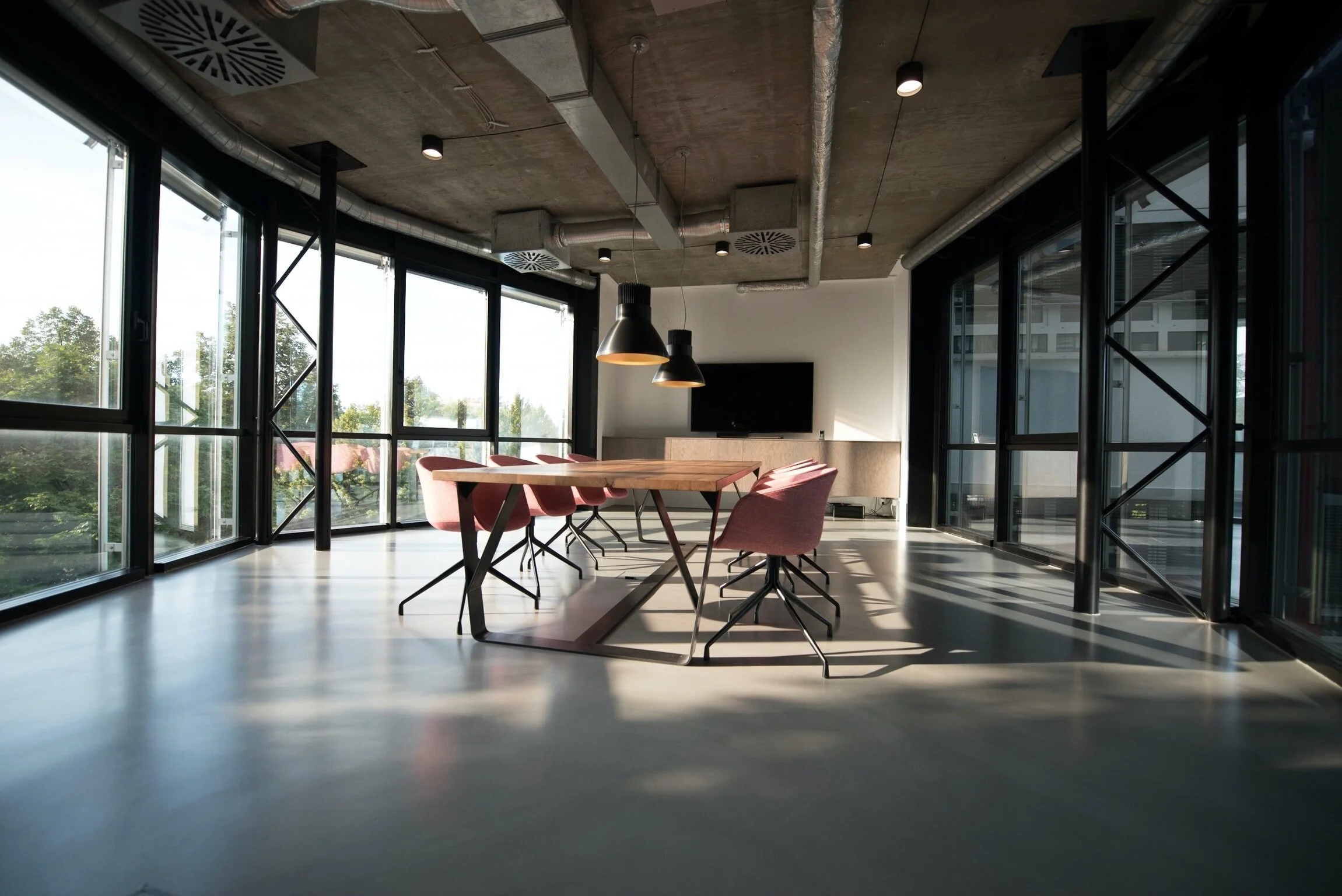
A lot of commercial properties offer multi-use spaces with many possible configurations. But the Activate booking tool didn't match the flexibility of these spaces. As a result, customer success reps would be stuck blocking off spaces on behalf of customers.
By automating this workflow, the CS team got back over 100 hours each quarter.
Problem
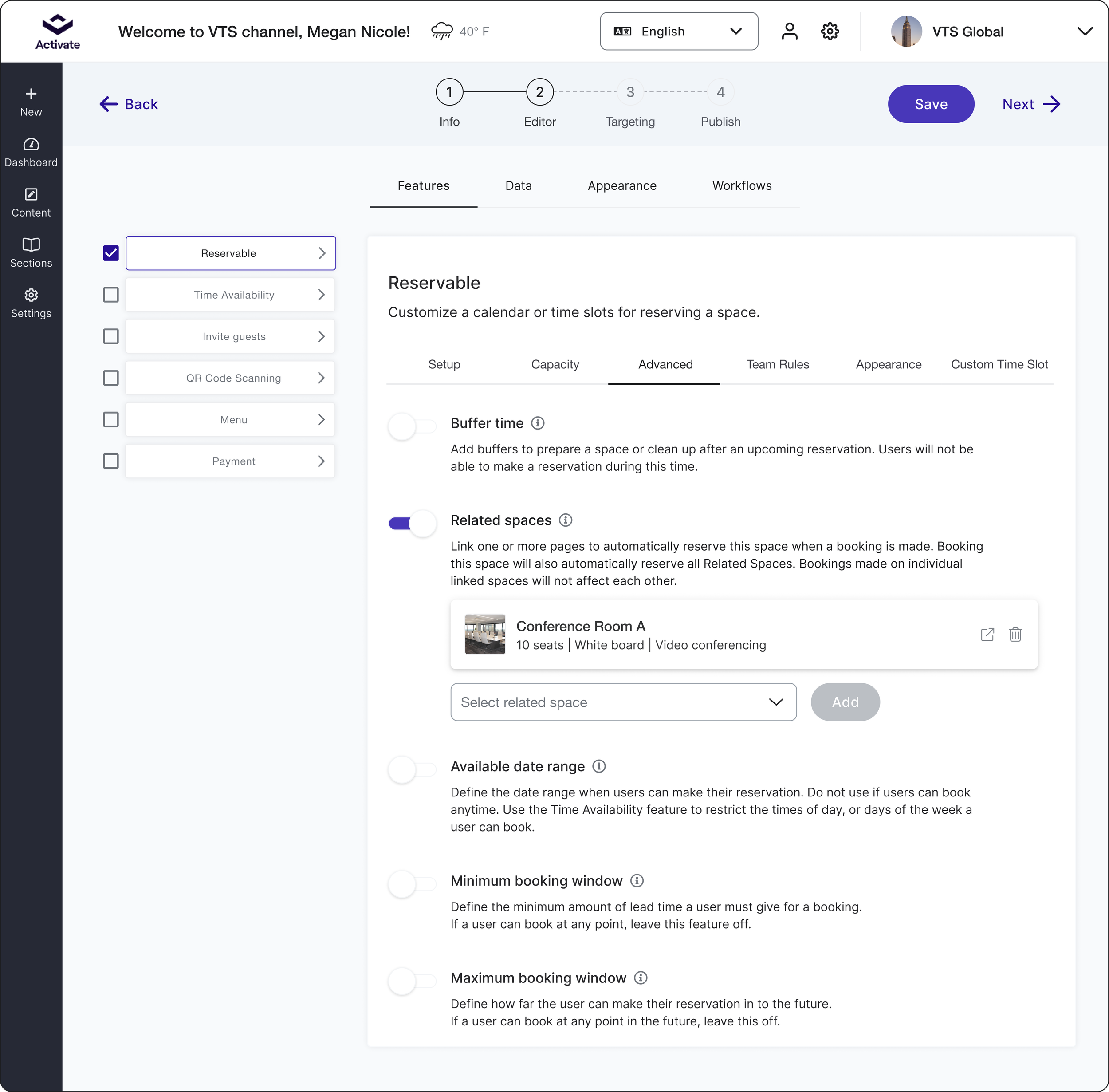
When two or more amenity spaces are linked, they need to be synchronized so that booking one space automatically affects the other. For example, if a large room with a removable partition is booked, the smaller halves should be marked as unavailable.
Without this synchronization, a VTS employee has to manually block off the small rooms each time. In Q3 of 2022, one Senior Customer Success Manager had to do this over 700 times.
By automating this process, we can give customers better control over their bookings and free up valuable time for our customer success team.
My role
Product Designer
User research
Visual Design
Prototyping and User Testing
October 2022 - December 2022
The headache
The Senior CSM, “Mary”, communicates daily with her main client’s workplace admin.
Each time a tenant books connecting rooms A, B, or C:
The admin notifies Mary.
Mary stops what she’s doing and logs into the admin portal for the property.
She makes a dummy reservation for Room C appears unavailable for other tenants.
The admin also has extra manual tasks because of the flawed system. They must make sure all linked rooms are available before approving a request. This is necessary to avoid overlapping bookings and unhappy tenants.
Limitations
I expected linking spaces to be straightforward. Admins simply add "child" pages to a parent page from a list. If the parent is booked, the children become unavailable, and vice versa.
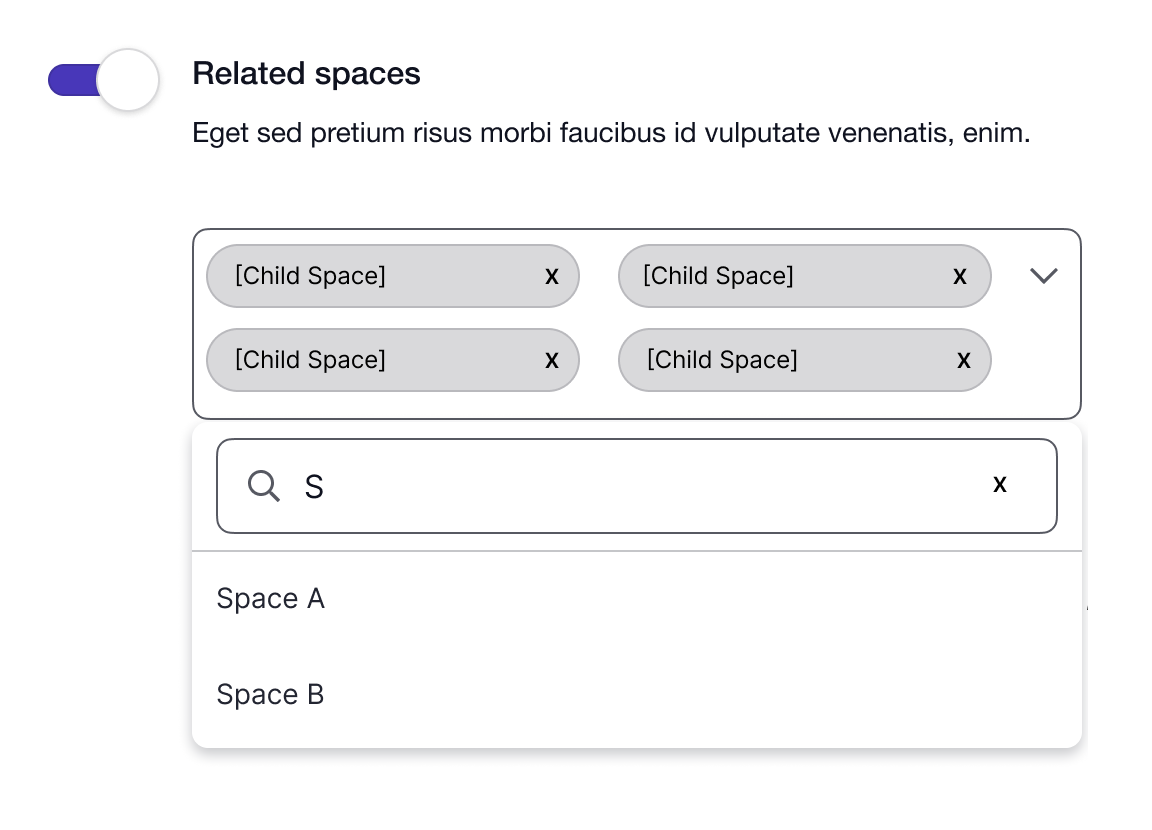
It wasn’t that simple. A backend limitation required child and parent pages to have identical settings. Different people often configure pages and their settings can be close but not exactly the same.
I aimed to show admins close matches so they could easily adjust the settings to properly link pages.
How to link spaces
Display clear error messaging and solutions
Simplify so the customer can understand and use the tool themselves
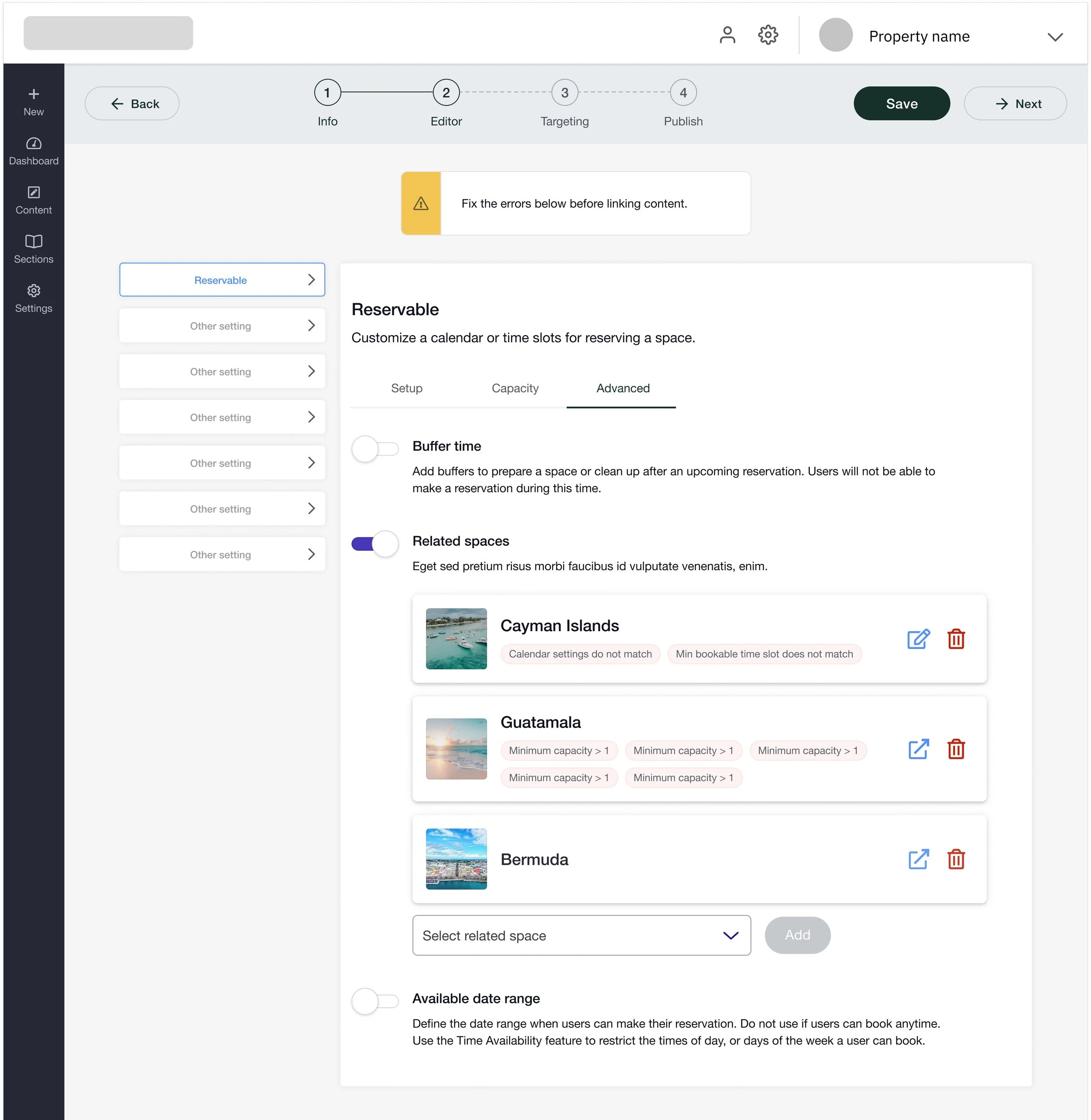
In my first iteration, I added error messages and a page preview to see details of which pages you are linking for context. I brought it to design review for feedback:
“Not direct enough, I see a lot of red but I’m not sure why it’s red or what I’m supposed to do about it.”
I needed to show users exactly what’s mismatched, how it impacts the setup, and how to fix it.
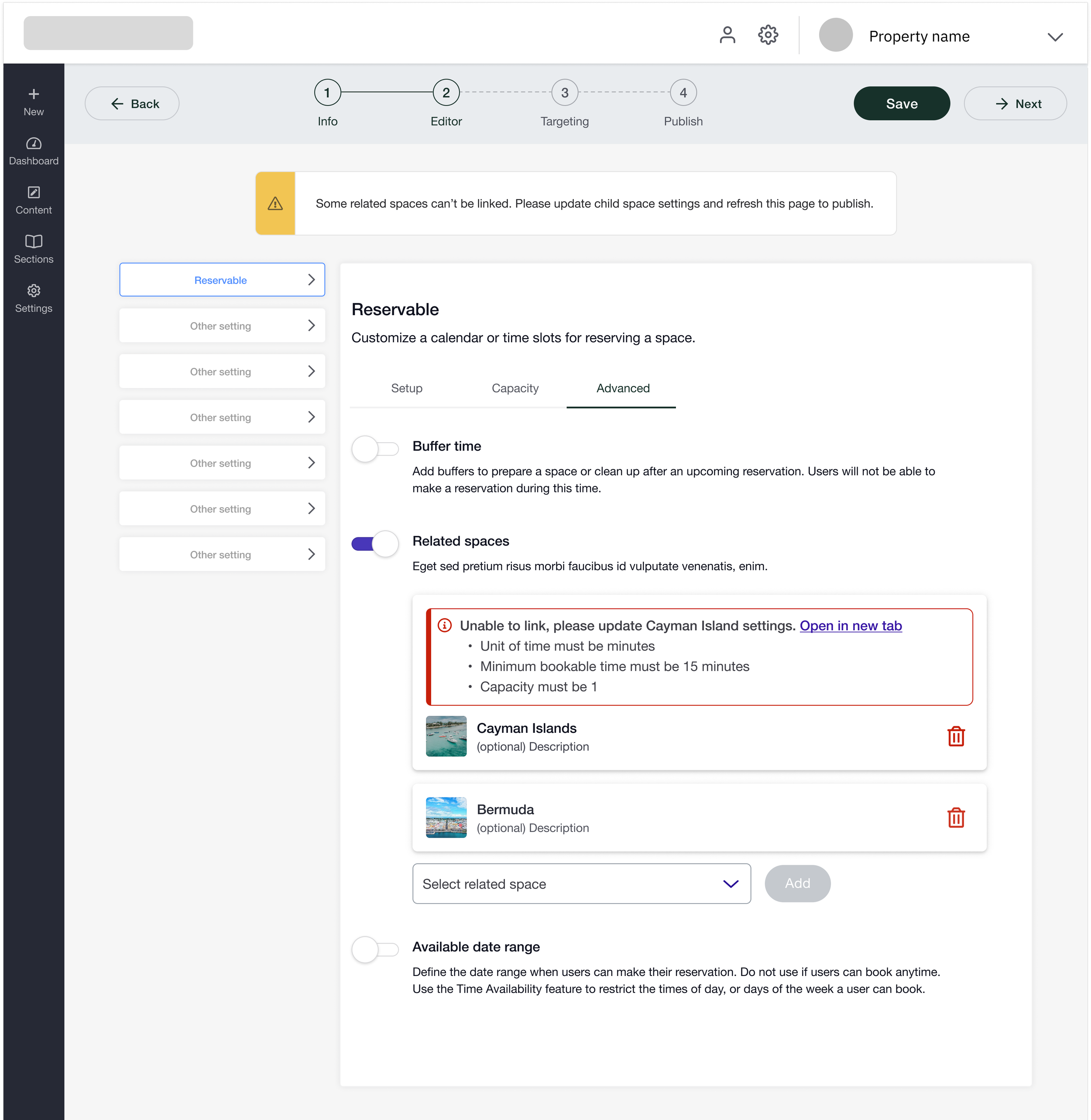
My next iteration used a new alert component. I displayed the problem “Unable to link”, how to solve it “update settings in a new tab”, and exactly what to link the pages.
The feedback from Mary:
Get rid of child space verbiage, not language we use for client facing screen.
The preview helps visualize the relationship of the space you’re adding to the one you are editing.
Final related spaces flow
After some tweaking, I finalized the flow to link multiple content pages together in the admin portal. In this example, the user is setting up a page so tenants may book “Conference Room D”. They are attempting to link “Conference Room B”, and can see exactly what settings to update to successfully connect the two pages.
Outcomes
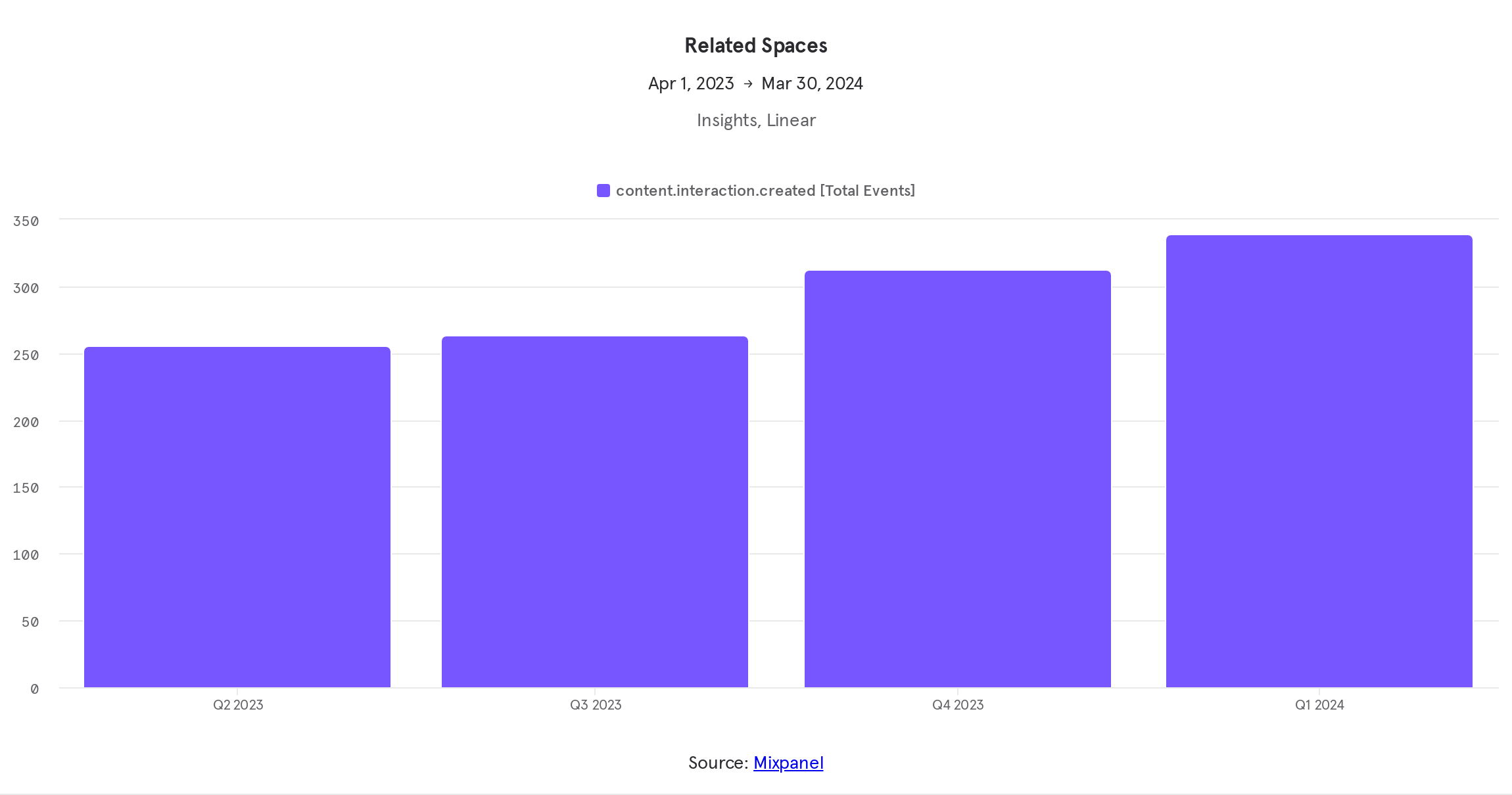
One month after the release, 2 customers used the related spaces feature, resulting in 115 automated bookings.
One year later, 11 customers were using it, with 1,778 automated bookings. This change saved the customer success team about 8 hours of tedious work each week.
My biggest challenge was the system constraints. I wanted to improve the complex page setup on the Activate platform, but the team lacked the time and resources for a full overhaul.
Instead, I had to focus on error prevention and messaging to enhance the user experience despite the messy backend issues.
Read another case study