

A unified form builder
The Origami platform serves users in highly regulated industries; including insurance, risk management, healthcare and government. The forms feature allows customers to build and populate templates with data stored in Origami.
Customers expect a seamless transfer of information to stay in compliance and support their workflows.
Problem
My role
Product Designer
User research
Visual Design
Prototyping
March - May 2026
Form setup is, ideally, a set and forget process. An admin will configure a Pdf or Word document into a fillable form. A user can export the form from an Origami record, trusting it looks professional and filled with accurate data.
But the creation, aggregation, and management of forms is a technical and time consuming task. One must combine legacy tools (Mail Merge, Claimwire, BCR Forms) to prep a document before uploading it to Origami.
The solution will enable admins to create and manage form templates all in Origami, so their teammates can export valid and complete forms.
User interview takeaways
Building form templates requires a fair amount of technical knowledge and training.
Downloading forms, making updates in Word, and re-uploading them into Origami is a common and annoying workflow.
Customers want a preview of what the form will look like once it’s populated with their data. This will help with checking their work and error reduction.
A code-free forms feature is a scary proposition for customers with complex use cases.
Customers are very particular with spacing, formatting, and conditional logic.
“I would prefer this (setting up Mail Merge documents) is done inside of the UI.”
“If form setup was an easier process to learn, more people could use it. And I would use it more.”
“I want a preview for how the form will look when generated. To know that the data you are pulling in is correct”
AI-Enabled Design
This project was my first experiment with designing straight in an AI tool rather than Figma. My PM vibe coded a POC to shop around with stakeholders along with the product requirements.
My job was to “remix” this prototype and work backwards, editing and iterating upon this prototype rather than creating a new version.
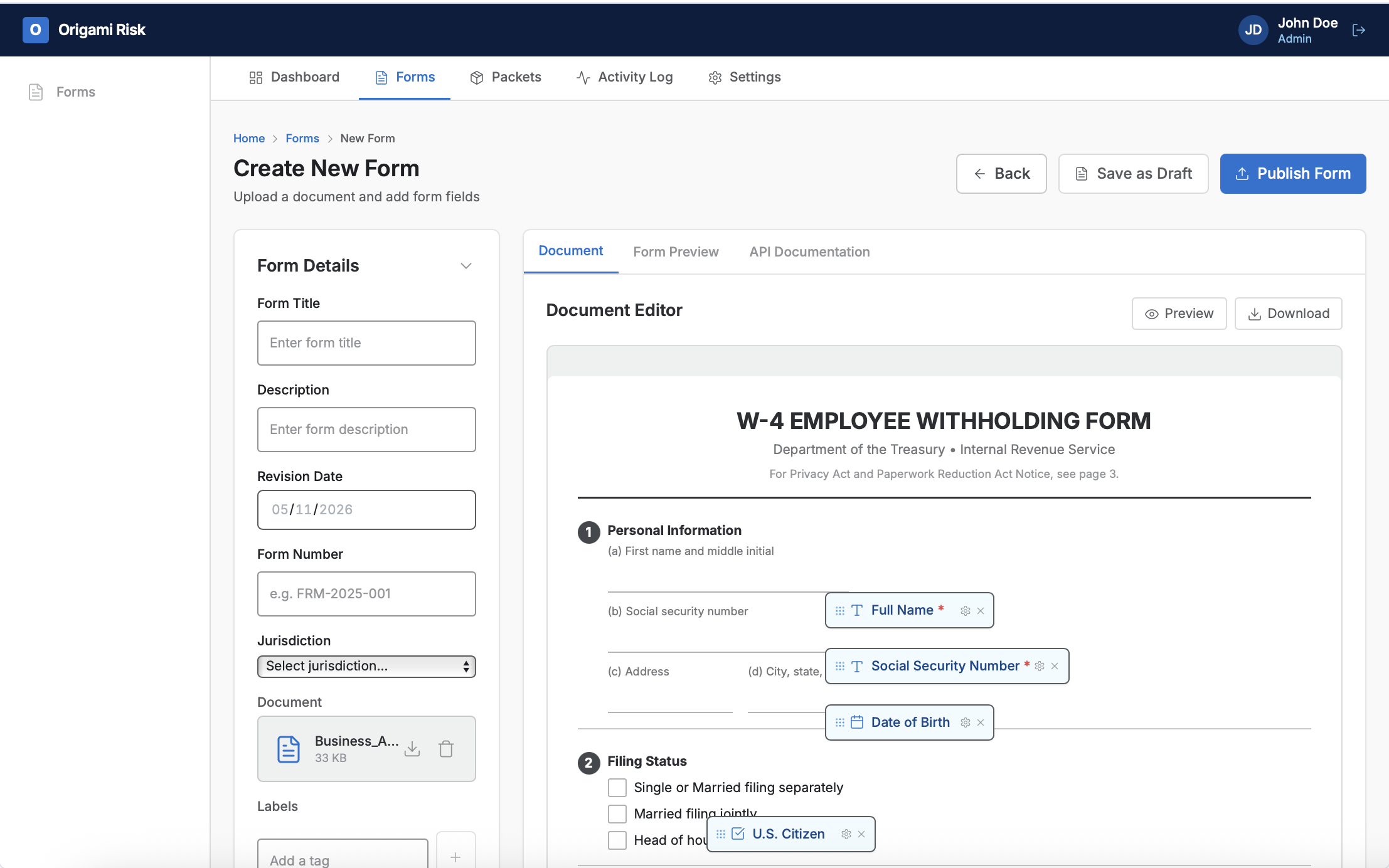
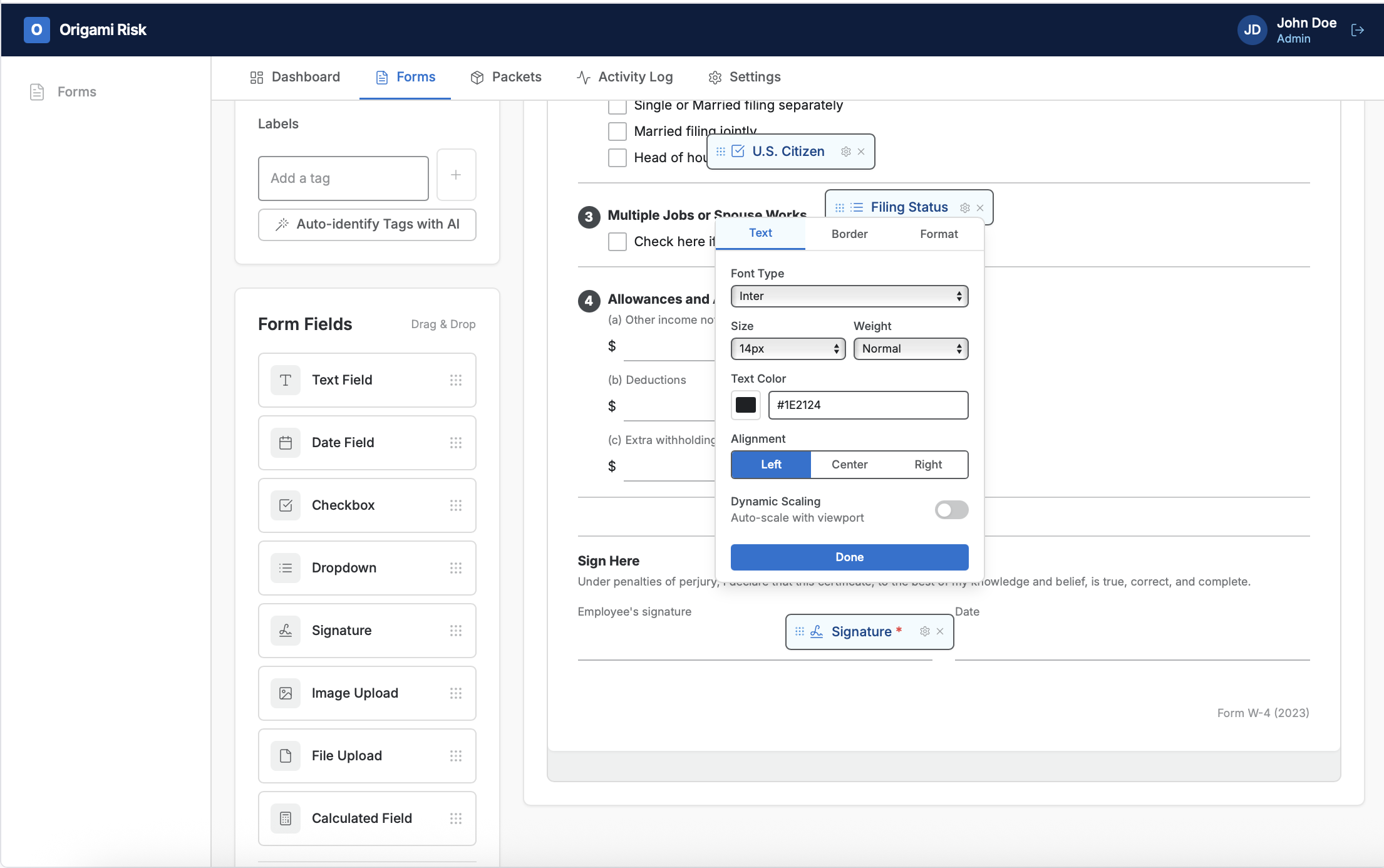
Key functions of POC:
Using AI to scan a document and identify fillable areas, this is the bit that save a lot of time for the end user.
Tagging fillable areas. Those tags would later be mapped to data points in a record to populate the form with the right information.
A preview of the form with fillable areas populated with sample data.
Simplifying the experience
Make the data do the work
In the POC, the system would identify fillable areas in the Word doc or PDF, and the user would then tag them.
For all undetected areas, the user would drag and drop field types from a toolbar. This is flashy interaction and was a better user experience from the PM’s point of view, especially compared to legacy tools. c
Final Thoughts
Some expected friction using this AI first method, PMs and stakeholders were biased towards that first iteration. I had to successfully sell my improved user experience.
In later projects using Replit, I found success in designing more assets and references in Figma and importing them into the AI, rather than prompting with text alone. This closed the gaps in understanding what I was asking for and sped up the process significantly.
Read another case study